
Seller Guide
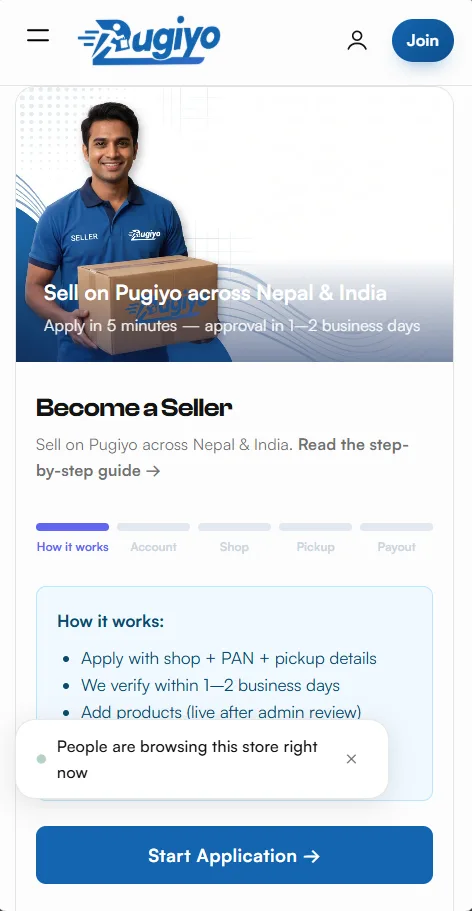
Mobile · start application 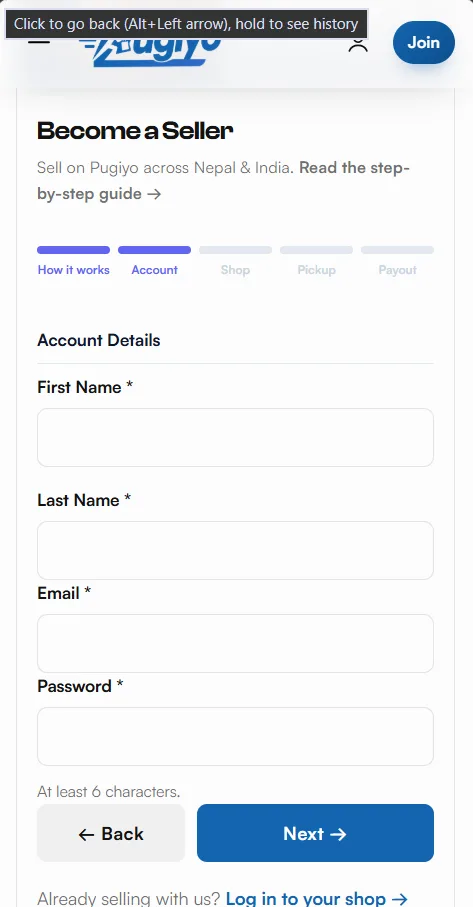
Mobile · account details 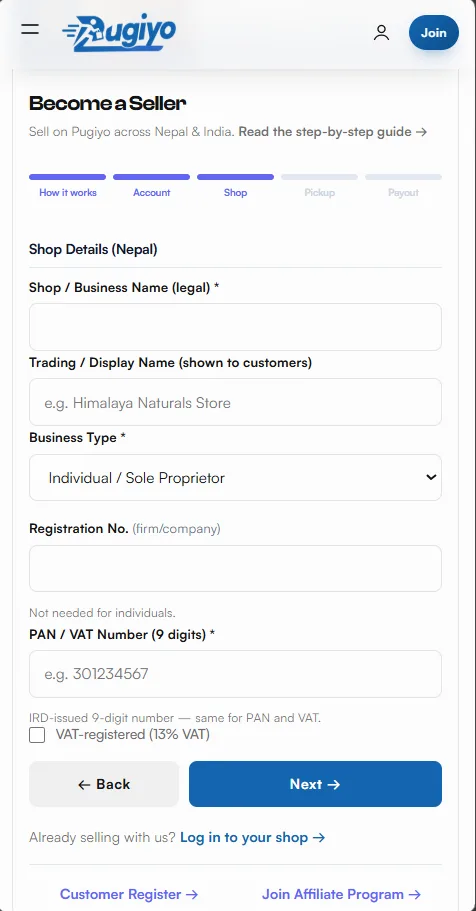
Mobile · shop details 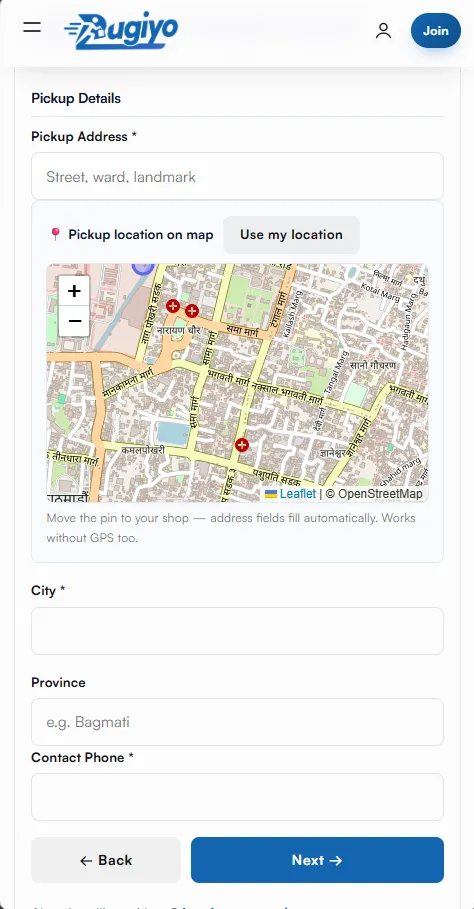
Mobile · pickup details 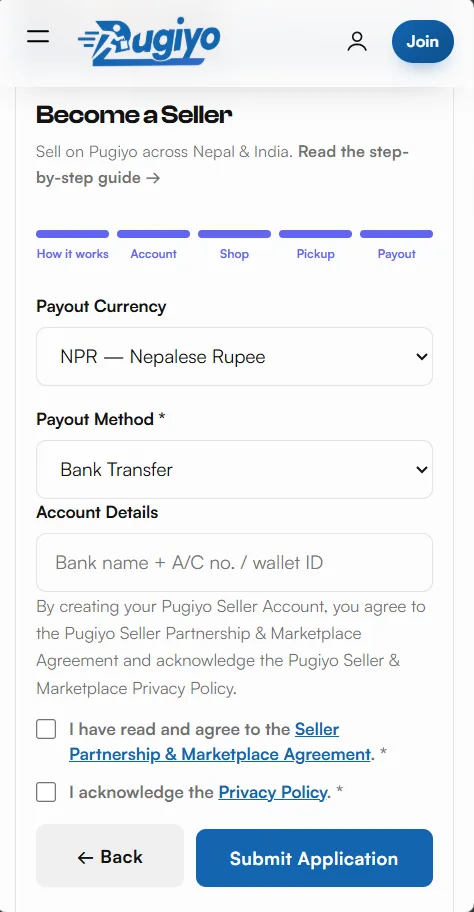
Mobile · payout and agreement
How to Sell on Pugiyo
Zero commission complexity — 10% platform fee, payouts to bank / eSewa / Khalti. Become a Seller →
Contents
1. Register (5 steps, PAN needed)
Step 1 — Start Application
Open the registration page, read how it works and tap Start Application. Approval takes 1–2 business days after you submit.
Step 2 — Account details
Enter your first and last name, a valid email address and a password (minimum 6 characters). This email is used for approval updates and login.
Step 3 — Shop details
Add your legal shop / business name, trading name, business type and 9-digit PAN. Firms and companies also need their registration number.
Step 4 — Pickup details
Add your pickup address, drop the map pin on your exact location (GPS or drag), plus city and phone number for the courier.
Step 5 — Payout & agreement
Choose how you want to receive money (bank / eSewa / Khalti), read the Seller Agreement fully and tick I Agree to submit.
2. Approval & documents
- Verification in 1–2 business days (email on approval).
- Upload PAN card, registration certificate and bank proof in Settings → Documents.
- Payouts unlock after all three are approved.
SCREENSHOT SLOT
seller-documents-mobile.webpMobile · documents3. Add products
- Products → Add Product: name, category, price, stock, photos, description with origin/weight/warranty.
- Choose a return window from the platform list.
- Products go live after admin review.
SCREENSHOT SLOT
seller-products-mobile.webpMobile · products4. Fulfil orders
- Pack + upload all 4 parcel photos (front, back, left, right).
- Admin verifies packing, then click Waiting for Courier Boy.
- Admin assigns the courier — tracking number = order number. Print labels/manifest from the Orders page.
- Delivery confirms automatically; earnings turn payable.
SCREENSHOT SLOT
seller-orders-mobile.webpMobile · fulfilment5. Earnings, payouts & commission
- Platform keeps 10% (category rates may differ) — net shows per order.
- Add payout accounts (bank / eSewa / Khalti), request payout (min USD 10 equivalent).
- Completed within 3–5 business days after admin approval.
SCREENSHOT SLOT
seller-payouts-mobile.webpMobile · payouts6. Support tickets
- Seller panel → Support → raise a ticket with subject + details.
- A free support agent picks it up; replies also come by email.
- Mark resolved when done.
SCREENSHOT SLOT
seller-support-mobile.webpMobile · support